Tower 18 for Mac Review
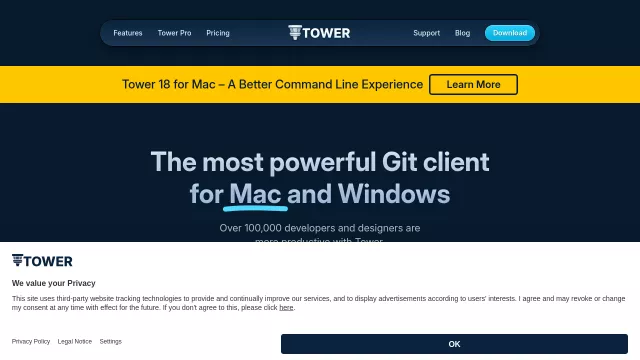
For macOS users who navigate the intricate landscape of version control, Tower 18 for Mac stands out as an indispensable tool. It’s heralded as the most powerful Git client, meticulously engineered to provide a superior command-line interface (CLI) experience. This iteration empowers over 100,000 developers and designers globally, transforming complex Git operations into intuitive, efficient workflows. Tower 18 doesn’t just simplify Git; it enhances productivity by harmonizing graphical ease with terminal-level control.
Main Features
Tower 18 for Mac is packed with functionalities that cater to both beginners and seasoned Git masters. From everyday tasks to advanced operations, it makes managing your repositories a breeze. Here’s a glimpse:
| Simplified Git Actions | Advanced Version Control |
|---|---|
| Drag and Drop for effortless staging | Pull Requests directly from the UI |
| Undo everything with ⌘+Z | Interactive Rebase for clean history |
| AI Commits for smart commit messages | Conflict Wizard for guided resolution |
| Automatic Branch Management | Submodules and Git LFS support |
Beyond these, Tower 18 offers intelligent productivity features:
- Quick actions for common tasks and workflows.
- Single-click cloning to get projects started instantly.
- Automatic stashing & fetching for uninterrupted work.
- Worktrees and Workflows to streamline development.
Main Target
Tower 18 for Mac is designed for developers, designers, and anyone working with Git who values efficiency and clarity without sacrificing power. If you appreciate the robustness of the command line but seek a more visual, forgiving, and accelerated workflow, this tool is for you. It serves those who want to bridge the gap between abstract Git commands and concrete actions, making the learning curve smoother and daily tasks faster. Whether you’re a student learning Git or an enterprise engineer managing large projects, Tower 18 provides the perfect abstraction layer, empowering you to focus on your code, not the mechanics of Git.
Top Alternatives to Tower 18 for Mac
Let’s explore and discover the best alternatives and similar tools to Tower 18 for Mac, carefully selected and ranked based on functionality, reliability, and user experience.