Snapdown Review
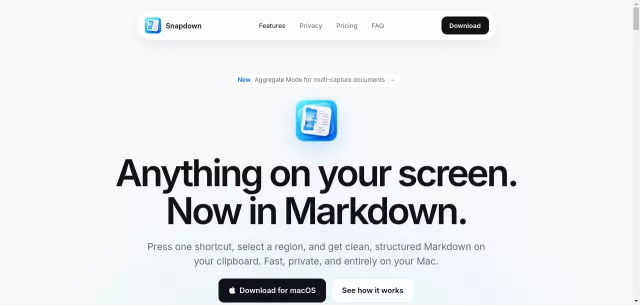
Ever wished you could just snap a screenshot and have it instantly transform into perfectly structured Markdown? Look no further, fellow data alchemist. Snapdown is the macOS utility you’ve been dreaming of, turning anything on your Mac screen into clean, organized Markdown without the usual cleanup hassle.
Main Features
Snapdown isn’t just another screenshot tool; it’s a productivity enhancer built from the ground up for your Mac. Its core strength lies in its intelligent OCR and deep macOS integration.
- Native Performance: Designed natively for Apple silicon, Snapdown runs entirely on-device, ensuring blazing-fast performance and full offline capability.
- Intelligent Structure Preservation: Unlike basic OCR that gives you a wall of text, Snapdown understands and retains headings, lists, paragraphs, reading order, and even tables. Structure in, structure out.
- Privacy by Architecture: Your data stays on your Mac. With local OCR processing, no captures ever leave your device, requiring no account or cloud uploads.
- Aggregate Mode: Compile multiple captures into a single, cohesive Markdown document. Perfect for collecting error logs, settings, and expected outcomes without interruption.
- True Mac Experience: Enjoy native controls, familiar shortcuts, and seamless menu bar access. Snapdown saves standard Markdown files, free from proprietary workspaces.
Main Target
Who benefits most from this digital magic? Anyone who regularly needs to translate visual information into editable, structured text.
- Developers & Engineers: Rapidly capture stack traces, code snippets, or UI flows for GitHub issues or READMEs.
- Technical Writers: Effortlessly document software interfaces and processes.
- Product Managers: Convert mockups or live screens into actionable context for discussions and specifications.
- AI Agents (e.g., Claude, Cursor): Provide them with rich, structured input directly from your screen for better context and more accurate results.
Here are some practical details for the discerning user:
| Detail | Information |
|---|---|
| Licensing | $12 USD one-time purchase, lifetime license for up to 2 Macs. |
| Trial | 10 free captures, no account or payment required. |
The next time you need to turn pixels into actionable insights, remember Snapdown. One shortcut, local processing, and instant structured Markdown ready on your clipboard. It’s time to upgrade your workflow from screen to solution.
Top Alternatives to Snapdown
Let’s explore and discover the best alternatives and similar tools to Snapdown, carefully selected and ranked based on functionality, reliability, and user experience.