
RenameClick Review
Tired of cryptic file names like IMG_20230412_FINAL_V2_copy.jpg? Enter RenameClick, the smart, offline-first AI tool designed to bring order to your digital chaos. This powerful utility for Mac and Windows intelligently renames and organizes your files based on their actual content, transforming meaningless tags into clear, descriptive names and auto-sorting them into logical folders.
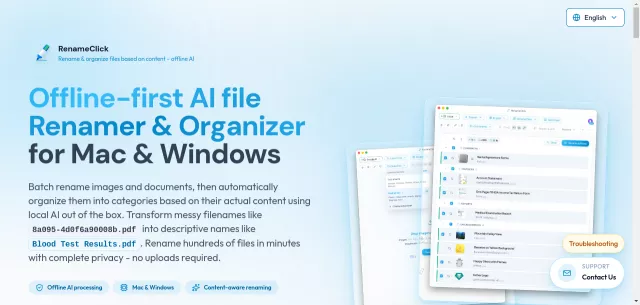
What sets RenameClick apart is its commitment to privacy. All AI processing happens locally on your computer, utilizing a built-in model. Your sensitive files never leave your device, ensuring complete data control without any uploads to the cloud. For those desiring more flexibility, it also integrates with cloud providers or local LLM solutions like Ollama and LM Studio.
Main Features
- Offline AI Processing: Renames and sorts files without internet, ensuring maximum privacy.
- Content-Aware Renaming: Analyzes images, PDFs, and documents to suggest meaningful, descriptive names.
- Automated File Organizer: Sorts files into categories and moves them into custom-defined folders.
- Extensive File Support: Works with JPG, PNG, PDF, DOCX, TXT, and many more formats.
- Multilingual Output: Generates filenames in English, Spanish, Japanese, Italian, and many other languages.
- Custom AI Instructions: Fine-tune naming conventions, extract specific data (e.g., dates from EXIF), and adapt to domain-specific workflows.
Main Target
RenameClick is engineered for anyone overwhelmed by digital clutter. Whether you’re a photographer with thousands of unorganized shots, a professional managing countless documents, or simply someone seeking a more efficient and private way to manage their personal files, this tool is for you. It’s ideal for users who prioritize:
- Data Privacy: Files stay on your device.
- Time-Saving Automation: Batch process hundreds of files in minutes.
- Systematic Organization: From chaotic folders to perfectly structured libraries.
| Key Aspect | Benefit/Detail |
|---|---|
| Privacy | Offline AI ensures no file uploads; full data control. |
| Performance | GPU (4GB VRAM) recommended for 10-20x faster processing. |
Top Alternatives to RenameClick
Let’s explore and discover the best alternatives and similar tools to RenameClick, carefully selected and ranked based on functionality, reliability, and user experience.