
Ray 3.0 Review
Tired of debugging your cutting-edge AI agents in a cluttered terminal? Or perhaps your trusty old dd() and console.log() statements are still spamming your browser window, breaking your flow? Enter Ray 3.0, the sleek, dedicated desktop app designed to be the ultimate output window for all your debugging needs – now with powerful new features for the AI era.
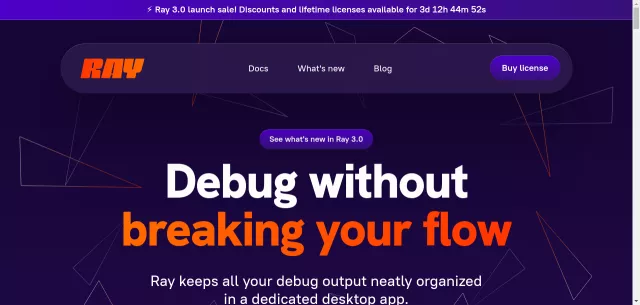
Ray 3.0 liberates your debug output from the confines of your browser or terminal, delivering it neatly organized into a beautiful, cross-platform app. It’s the elegant solution for developers who crave the instant feedback of a simple dump but demand the organizational prowess of a dedicated tool. Debug without breaking your concentration; Ray ensures your focus remains on the code, not on chasing rogue outputs.
Main Features
- AI Agent Output Window: Witness your AI agents in action with a dedicated, interactive output display. This new Ray 3.0 feature lets you visualize and interact with AI-generated data without squinting at tiny terminal windows.
- Seamless Debug Flow: Keep all your debug messages—from strings and arrays to objects and queries—neatly organized in one place, across PHP, Laravel, JavaScript, and more.
- Remote Debugging: Stream debug output from remote servers directly to your local Ray app over SSH, making distributed development a breeze.
- Archive Messages: Save and revisit past debug sessions. Essential for comparing outputs or tackling those elusive, hard-to-reproduce bugs.
- Pause & Measure Execution: Powerful tools to pause PHP/Laravel code execution and precisely measure timing between calls.
- Jump to your IDE: Instantly navigate from any debug message in Ray straight to the corresponding line in your favorite IDE.
Here’s a glimpse at how Ray 3.0 enhances your debugging workflow:
| Aspect | Ray 3.0 Advantage |
|---|---|
| Output Clarity | Dedicated, formatted, and color-coded desktop window. |
| AI Integration | Specific window for interactive AI agent output. |
| Efficiency | One-click jump to IDE, archive, pause, and measure. |
Main Target
- Developers who love simplicity: If you appreciate the straightforwardness of
dd()orconsole.log()but need more power and organization, Ray is your ideal companion. - AI Developers: Especially those working with AI agents, who need a dedicated, clear window to observe and interact with their AI’s output.
- Multi-language coders: With consistent syntax across PHP, Laravel, JavaScript, and more, Ray streamlines debugging for polyglot development environments.
- Teams seeking workflow elegance: For anyone wanting to elevate their debugging from a chore to a clean, integrated part of their development process.
Ray 3.0 is more than just a debugger; it’s a workflow accelerator. Grab your lifetime license or discounted annual subscription during the ⚡️ Ray 3.0 launch sale! It’s time to give your debugging the upgrade it deserves.
Top Alternatives to Ray 3.0
Let’s explore and discover the best alternatives and similar tools to Ray 3.0, carefully selected and ranked based on functionality, reliability, and user experience.