Pixlie Review
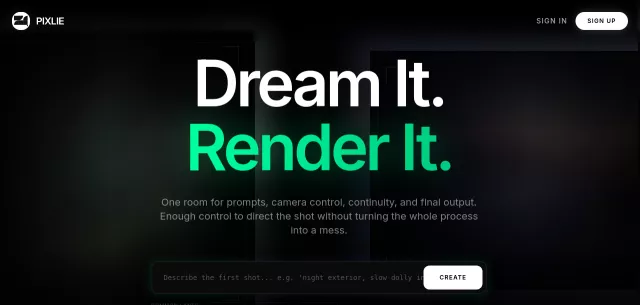
Pixlie is the AI video studio engineered for creators who demand unparalleled control. Far from a mere “prompt slot machine,” Pixlie offers creative intelligence, transforming text and images into stunning videos with precision. It’s an advanced cockpit for directors, enabling instant, customized video generation. Pixlie empowers you to express what words can’t, providing 50 free credits daily and basic creation without a subscription.
Visit Website
Have an AI Tool? Submit it here!
Main Features
- Built for Directors, Not Prompt Engineers: Pixlie is designed as a director’s cockpit, offering deliberate control over AI output, unlike random prompt generators.
- Identity Lock Protocol: Train a character face once and maintain consistent appearance—hair, scars, and overall vibe—across a thousand shots.
- Motion Brush 2.0: Execute precise camera moves including pan, tilt, zoom, or orbit deliberately, by drawing paths and keeping models within usable moves.
- Video-to-Video: Restyle existing source footage without discarding crucial timing, blocking, or the valuable elements of the original take.
- Audio Reactive: Shape motion and intensity directly around your audio track, ensuring perfect sync without faking it in post-edit.
- Native Rollout: Pixlie supports genuine mobile release lanes via App Store Connect and Google Play Console, providing a real path to shipping native apps.
Main Target
Pixlie caters to a broad spectrum of video creators, prioritizing those who value precision and control:
- Directors: Professionals seeking sophisticated tools to guide AI output rather than merely prompting it.
- Casual Creators: Individuals looking to transform moments into video with free basic creation and daily credits.
- Professional Content Creators: Users requiring higher volumes, extended video lengths, and advanced features for their projects.
- High-Volume Production Teams: Enterprises needing expanded monthly caps, 4K exports, and collaborative workflows.
| Feature | Free Lane | Pro Lane |
| Videos/Month | 1 short video (5s) per day | 100 videos (up to 30s) |
| Image Generation | 3 images per day | 200 images per month |
| Resolution | 720p | 1080p |
| Queue | Single active queue | Priority queue + API access |
Top Alternatives to Pixlie
Let’s explore and discover the best alternatives and similar tools to Pixlie, carefully selected and ranked based on functionality, reliability, and user experience.