OpenScreen 2 Review
Alright, fellow tech enthusiasts and demo deities, let’s talk about a tool that’s about to level up your screen-casting game: OpenScreen 2. Forget battling complex video editors or wrestling with restrictive freemium models. OpenScreen 2 is your free, open-source command center for turning raw screen recordings into polished, professional demos with an almost unsettling ease. Imagine recording your screen, then letting an intelligent agent tidy up dead air, place zooms, and apply stunning visual effects—all on your local machine, no cloud wizardry required.
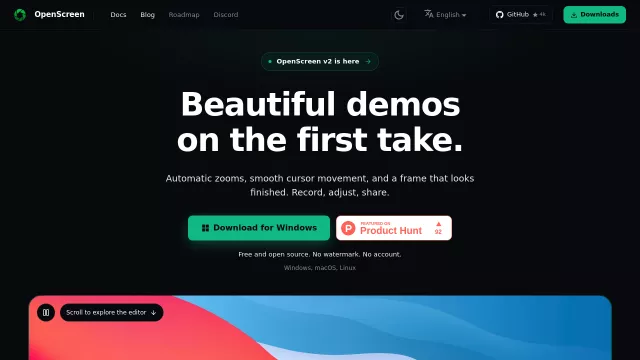
This isn’t just another screen recorder; it’s a complete demo production studio. It captures natively on Windows, macOS, and Linux, ensuring crisp footage. But where OpenScreen 2 truly shines is its post-production prowess.
Main Features
- AI-Powered Editing Agent: Describe edits; the agent reads your transcript/timeline to suggest cuts for silences and dead air. Edits are undoable, giving you control.
- Automatic Zooms: Clicks trigger automatic, rule-based zooms, enhancing viewer focus without manual keyframing.
- Deep Customization: Restyle cursor with packs/3D effects. Swap backgrounds, add motion blur, shadows, rounded corners. Frame recordings in virtual windows/devices.
- Transcript-Based Editing: Edit video like text: delete words or silences from the local transcript, and the video cuts.
- Privacy First: All recording, transcription (local Whisper.cpp), and rendering happen on your computer; your data stays local.
Main Target
OpenScreen 2 is tailor-made for anyone who needs to create compelling visual explanations.
- Developers: Showcase new features or debug processes with clarity.
- Educators & Trainers: Produce engaging tutorials and instructional content.
- Product Managers: Craft impressive product demos that highlight key functionalities.
- Content Creators: Generate high-quality walkthroughs, unboxings, or reviews.
- Privacy-Conscious Users: Leverage powerful AI editing without compromising data security.
| Key Differentiator | Impact on Workflow |
| Free & Open Source | No cost barriers, community-driven enhancements. |
| AI Agent & Auto Zooms | Reduces editing time for professional results. |
| Local Processing | Ensures privacy and allows offline workflow. |
| Deep Visual Customization | Creates highly engaging and branded content. |
Top Alternatives to OpenScreen 2
Let’s explore and discover the best alternatives and similar tools to OpenScreen 2, carefully selected and ranked based on functionality, reliability, and user experience.