Mintlify Autopilot Review
Tired of documentation falling out of sync faster than a CPU cache miss? Enter Mintlify Autopilot, the always-on, intelligent agent engineered to keep your technical documentation perpetually up to date. Forget the manual grind; Autopilot is your steadfast partner in maintaining pristine, accurate docs, ensuring your team and users always have the latest truth at their fingertips.
Automating Your Documentation Workflow
Mintlify Autopilot represents a paradigm shift. Integrating seamlessly into your development ecosystem, this powerful tool acts as a vigilant sentinel over your codebase. It intelligently detects changes and autonomously updates documentation, making stale docs a relic of the past.
- Real-time Sync: Automatically reflects code changes in your documentation.
- Intelligent Content Generation: Leverages context to generate or suggest updates.
- Version Control Integration: Works hand-in-hand with your existing Git workflows.
- Reduced Overhead: Frees up engineering and technical writing time from tedious updates.
Who Benefits from Autopilot?
For anyone building software and grappling with documentation decay, Autopilot is your solution. It’s a critical tool for robust developer experience (DX) and efficient knowledge transfer.
- Software Engineers: Spend less time writing docs, more time coding.
- Technical Writers: Focus on high-value content creation, not chasing updates.
- Product Managers: Ensure features are always accurately documented for users.
- Open Source Projects: Maintain community engagement with current, reliable guides.
| Feature Focus | Impact |
|---|---|
| Continuous Updates | Documentation always mirrors the latest codebase. |
| Time Savings | Significantly reduces manual documentation efforts. |
| Accuracy Assurance | Eliminates errors from out-of-date information. |
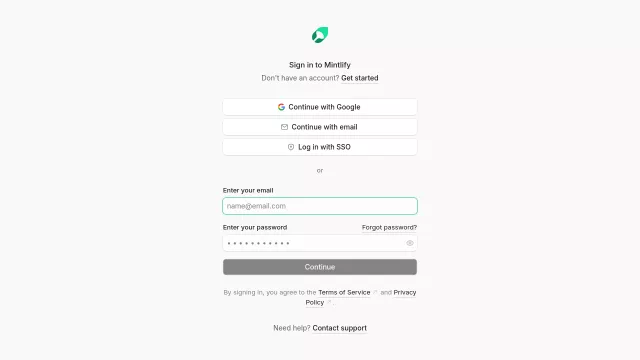
Ready to elevate your documentation game and achieve declarative documentation nirvana? Begin your journey with Mintlify Autopilot today. To get started, simply visit the Mintlify login page to sign in or create an account. You can log in with SSO or your email and password, agreeing to the Terms of Service and Privacy Policy. If you need assistance, support is just a click away.
Top Alternatives to Mintlify Autopilot
Let’s explore and discover the best alternatives and similar tools to Mintlify Autopilot, carefully selected and ranked based on functionality, reliability, and user experience.