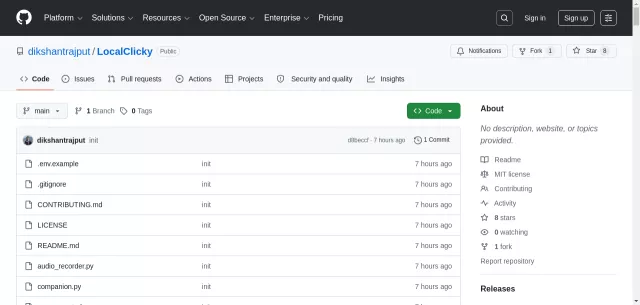
LocalClicky Review
Finally, true voice control for your Mac that respects your data integrity. LocalClicky is here to revolutionize how you interact with macOS, bringing robust, offline, and privacy-centric voice command capabilities directly to your machine. No cloud, no APIs, no subscriptions – just pure, local power.
The Offline Revolution
Tired of cloud-based voice assistants siphoning your data? LocalClicky flips the script. Every interaction, from transcribing your speech with Whisper.cpp to AI reasoning and screen vision via local Ollama models (Qwen/Gemma), happens exclusively on your hardware. Your voice, your screen, your commands—they never leave your Mac. This means unparalleled privacy and control, making it the ultimate tool for the security-conscious power user.
Unleash Your Mac’s Potential
LocalClicky is more than just a novelty; it’s a powerful productivity enhancer. It integrates seamlessly into your macOS environment, offering a suite of intelligent features:
- System-Wide Control: Effortlessly open/quit apps, adjust system volume, manage Spotify playback, or execute complex shell commands with your voice.
- Intelligent Cursor & Clicks: Ask LocalClicky to “click the notification bell,” and its local vision model will accurately locate and interact with screen elements.
- Natural Language Interactions: Create reminders with spoken dates, engage in multi-round conversations, and string commands together without constantly repeating the wake word.
- Discreet Menubar Integration: Stays gracefully out of your way until you summon it with “Computer,” ensuring a clean, focused workspace.
| Aspect | LocalClicky’s Approach |
| Data Handling | 100% On-Device & Private |
| Cloud Dependency | Zero |
| Monetization | Free & Open Source |
| AI Engine | Whisper.cpp + Ollama (Qwen/Gemma) |
Top Alternatives to LocalClicky
Let’s explore and discover the best alternatives and similar tools to LocalClicky, carefully selected and ranked based on functionality, reliability, and user experience.