Kickbacks CLI Review
Ever wish you could keep tabs on your Kickbacks.ai earnings and status without leaving the sanctity of your terminal or macOS menu bar? The Kickbacks CLI (and its companion, Kickbacks Bar) is precisely that – a powerful, yet elegant, terminal and Mac menu bar companion for your Kickbacks.ai activities.
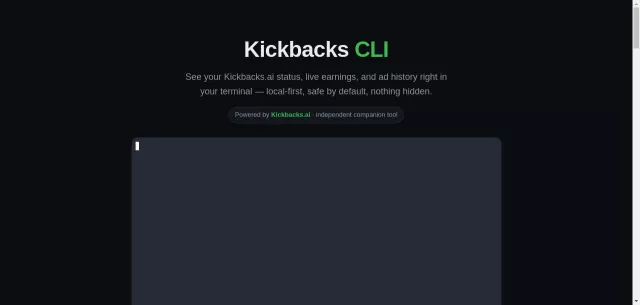
This isn’t just another utility; it’s a local-first, safe by default, fully transparent window into your Kickbacks world. From live earnings to detailed ad history, Kickbacks CLI keeps you informed, putting critical data right where you need it.
Main Features
- Live Status & Earnings: Monitor your Kickbacks.ai status and current earnings directly from your terminal or macOS menu bar.
- Detailed Ad History: Review your past ad rotations and associated earnings with ease.
- Local-First Data Handling: All sensitive data (like extension files and editor’s local DB) is read locally from your machine, ensuring your privacy.
- Transparent Operations: Kickbacks CLI prides itself on transparency. You can inspect its installation script and always run
kickback aboutto understand exactly what it does and what data it interacts with. - Safe by Default: Features that write data (like background logging or token refreshing) are off until explicitly enabled. It’s read-only for earnings and never touches your code or moves money.
- Menu Bar Companion (Kickbacks Bar): For macOS users, the optional Kickbacks Bar app provides a convenient click-to-command experience, displaying live “today” and “lifetime” earnings in your menu bar, with full CLI access just one click away.
Main Target
Kickbacks CLI is designed for the Kickbacks.ai user who appreciates efficiency, transparency, and control. It’s for developers, power users, and anyone who prefers managing their digital tools from the command line or wants a quick, unobtrusive glance at their earnings. If you value a tool that integrates seamlessly with your macOS environment and provides clear, auditable access to your data without compromising security, this is for you.
Installation is straightforward, whether you prefer a one-line curl command or Homebrew, ensuring you get up and running quickly on macOS 13+.
| Installation Method | Description |
| Direct .zip Download (Menu Bar App) | Bundles the kickback CLI, prompts for Apple’s Command Line Tools if Python isn’t present. Signed & notarized. |
| Homebrew (Cask for Menu Bar App) | brew install --cask gabeperez/kickback/kickbacks-bar installs the Menu Bar app and its CLI dependency. |
| Homebrew (CLI Only) | brew install gabeperez/kickback/kickback for just the command-line interface. |
| One-line CLI Install | curl -fsSL https://gabeperez.github.io/kickback-cli/install.sh | bash – requires Python3 + OpenSSL. |
Top Alternatives to Kickbacks CLI
Let’s explore and discover the best alternatives and similar tools to Kickbacks CLI, carefully selected and ranked based on functionality, reliability, and user experience.