JumprAI Review
Tired of endlessly scrubbing through YouTube videos, hunting for that one crucial moment? Understanding the frustration, we present JumprAI: the indispensable AI-powered Chrome extension transforming your YouTube experience from a laborious search into a precision retrieval.
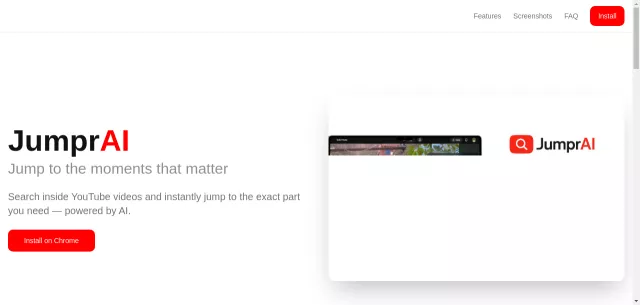
JumprAI leverages advanced AI to provide semantic search within any YouTube video. Simply describe what you’re looking for in natural language, and JumprAI instantly navigates you to the exact timestamp.
Main Features: Optimize Your Workflow
JumprAI is built for efficiency, offering powerful capabilities:
- AI-Powered Semantic Search: Go beyond keywords; find precisely what you need by understanding context.
- Instant Jumps: Click a result to land directly on the relevant video segment.
- Privacy-First: Queries processed securely; no tracking, no data collection.
- Any Video Length: Works flawlessly on all videos, from clips to hours-long lectures.
- One-Click Access: A dedicated 🔍 button integrates into the YouTube player for immediate use.
Main Target: The Productivity Enthusiast
Who benefits most from JumprAI’s technological edge? Anyone who values their time and demands efficiency from their digital tools:
| User Persona | JumprAI Benefit |
|---|---|
| Students & Researchers | Quickly pinpoint key lecture points or data. |
| Content Creators | Efficiently reference specific video moments. |
| Knowledge Workers | Bypass wasted time, getting straight to information. |
How It Works: A Simple Protocol
- Open any YouTube video.
- Click the JumprAI 🔍 button in the player.
- Type what you’re looking for.
- Jump directly to that moment.
Stop wasting time. Embrace intelligent video navigation. Ready to upgrade your YouTube interaction?
Install JumprAI on Chrome today!
Top Alternatives to JumprAI
Let’s explore and discover the best alternatives and similar tools to JumprAI, carefully selected and ranked based on functionality, reliability, and user experience.