Gutta Review
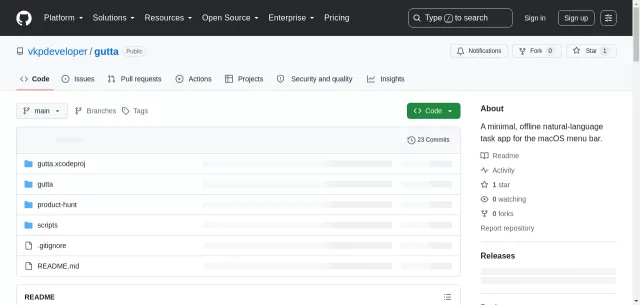
For the discerning Mac user who values productivity without the digital noise, meet Gutta. This ingenious little tool isn’t just another task manager; it’s a meticulously crafted, offline task list that seamlessly integrates into your macOS menu bar. Designed for speed, privacy, and simplicity, Gutta helps you capture your thoughts and tasks the moment they strike, allowing you to get back to what truly matters without missing a beat.
Core Functionalities Explored
Gutta redefines task management with features engineered for efficiency:
- Instant Access: Always present in your menu bar, Gutta can be summoned with a quick Command–Shift–Space, appearing as a centered quick panel.
- Natural Language Input: Forget rigid forms. Gutta understands how you speak. Jot down “buy bread tomorrow morning,” “call mom at 5pm,” or “send the invoice Friday at 10:30,” and Gutta intelligently parses your instructions.
- Batch Entry: Multiple tasks in one go? Simply separate them with semicolons, like “Book tickets tomorrow; email Alex at 4pm.”
- Intelligent Reminders: Set local reminders for timed tasks, leveraging a global default or overriding it for individual entries. Gutta will gently ping you when it’s time to act.
- Keyboard-Centric Workflow: Add, search, complete, and delete tasks all without lifting your fingers from the keyboard.
Data Sovereignty & Privacy Prowess
In an age where data privacy is paramount, Gutta stands out by putting you in complete control. There are no Gutta accounts, no third-party servers, and no location features. Your tasks stay local, stored securely with SwiftData.
| Aspect | Gutta’s Approach |
|---|---|
| Data Storage | Locally on your Mac with SwiftData. |
| Synchronization | Folder-based sync via your own iCloud Drive, Dropbox, or OneDrive. No developer-owned accounts involved. |
| Privacy Guarantee | Tasks remain private; Gutta exchanges JSON records within a user-selected folder for sync, not a live database. |
Gutta targets macOS 14 or newer. It supports automatic updates via Sparkle. For the discerning individual who demands a powerful, private, and unintrusive task management solution, Gutta is the indispensable menu bar companion.
Top Alternatives to Gutta
Let’s explore and discover the best alternatives and similar tools to Gutta, carefully selected and ranked based on functionality, reliability, and user experience.