Gboard Kurukuru Version Review
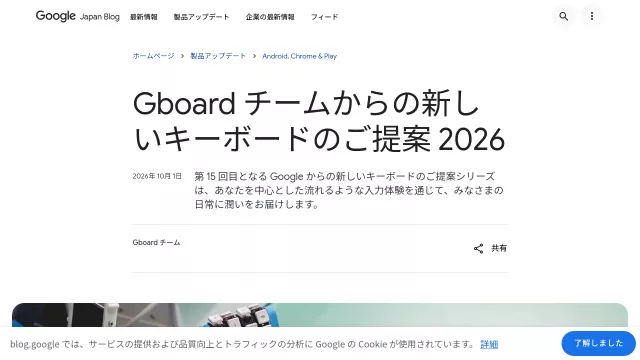
The Gboard Kurukuru Version is a revolutionary conceptual keyboard from the innovative Gboard team, challenging conventional typing paradigms. Its core philosophy is simple yet profound: “Your fingers stay put. The keys come around.” Designed to redefine efficiency for one-handed input, this ingenious device moves the keys to you, rather than requiring your hand to traverse the keyboard. It’s a bold proposal aiming to enhance daily interactions by offering a truly fluid and user-centric input experience.
Main Features
At the heart of Gboard Kurukuru is its unique conveyor belt mechanism. Instead of a static layout, keys are dynamically presented to your fingertips as they flow past on a rotating belt. This “Copernican revolution” in typing places you, the user, at the center of the input experience, drastically reducing physical effort and enhancing focus. Each belt thoughtfully accommodates 29 keys, enabling direct input for both uppercase and lowercase characters, ensuring intuitive control.
- Dynamic Key Presentation: Keys move on a conveyor belt directly to your fingers.
- Single-Handed Efficiency: Specifically designed for effortless one-finger or one-hand operation.
- 29-Key Belt System: Each segment provides direct access to both upper and lower case letters.
- Open-Source Design: While not a commercial product, its design files are openly available for DIY enthusiasts.
| Aspect | Description |
|---|---|
| Input Method | Keys flow to your fingers; type as desired key arrives. |
| Key Count per Belt | 29 keys (supports direct upper and lowercase input). |
Main Target
The Gboard Kurukuru Version is meticulously designed for anyone seeking a more ergonomic, efficient, and flexible typing experience, particularly those who often find themselves with only one hand free. Imagine effortlessly composing messages while holding a coffee, or seamlessly multitasking between mouse and keyboard with a single hand. It’s a game-changer for enhancing productivity in scenarios where conventional keyboards fall short, offering unparalleled convenience and a fresh perspective on digital interaction.
- Multitaskers: Ideal for simultaneous mouse operation or engaging in other activities.
- One-Handed Users: Perfect for typing while holding items or accommodating limited mobility.
- Productivity Enthusiasts: Offers a novel way to boost input speed and overall comfort.
- DIY and Tech Innovators: Encourages community-driven development and customization through its open-source nature.
Top Alternatives to Gboard Kurukuru Version
Let’s explore and discover the best alternatives and similar tools to Gboard Kurukuru Version, carefully selected and ranked based on functionality, reliability, and user experience.