Design In The Browser Review
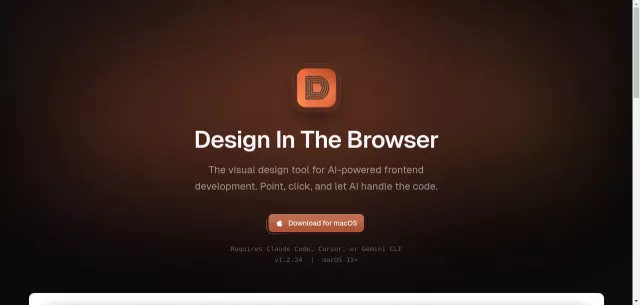
Hey fellow code whisperers and pixel pushers! Ever felt like there’s a disconnect between your brilliant design vision and the actual code? Enter Design In The Browser, your new best friend for frontend development. This AI-powered visual tool transforms your browser into a highly interactive canvas where you literally point, click, and let intelligent AI models like Claude, Cursor, or Gemini CLI write the code. It’s the ultimate bridge between visual design and the nitty-gritty of frontend development.
Unleash Your Inner UI Wizard: Core Features
- Point & Click Editing: Forget inspecting elements and manual coding. Click any UI element in your browser, and instantly send its context to Claude, Cursor, or Gemini CLI to generate or modify code. It’s direct manipulation, evolved.
- Code Editor Integration: Seamlessly jump from any browser UI element directly to its corresponding source code in your favorite IDE. Context switching? What’s that?
- Multi-Edit: Tackle multiple elements at once. Select them, add them to a “to-do” list, and edit them collectively for incredible efficiency across your component library.
- Integrated Terminal: Keep your development flow tight with a browser and terminal side-by-side, complete with dev server support. No more alt-tabbing to run commands.
- Responsive Testing: Ensure pixel perfection across all devices. Utilize the built-in viewport switcher, fully customizable for your specific breakpoints, right there in your browser.
- Reference Images: Achieve absolute fidelity. Overlay reference images directly onto your browser view and integrate them into your AI prompts for truly pixel-perfect results.
Who’s This For? The Main Target Protocol
Design In The Browser is engineered for frontend developers tired of the design-to-code gap, designers who code and want to accelerate their workflow, and anyone looking to leverage cutting-edge AI to build user interfaces faster and more intuitively. If you’re building web interfaces and crave a more visual, AI-assisted approach, this tool is your new secret weapon.
| Traditional Frontend Workflow | Design In The Browser Workflow |
|---|---|
| Manual element inspection & coding | Point, Click, AI Codes |
| Frequent context switching (browser/IDE/terminal) | Integrated Dev Environment |
| Guesswork for responsive breakpoints | Customizable Viewport Switcher |
| Tedious refactoring of multiple elements | Effortless Multi-Edit |
Top Alternatives to Design In The Browser
Let’s explore and discover the best alternatives and similar tools to Design In The Browser, carefully selected and ranked based on functionality, reliability, and user experience.