Cursor AI Mobile Review
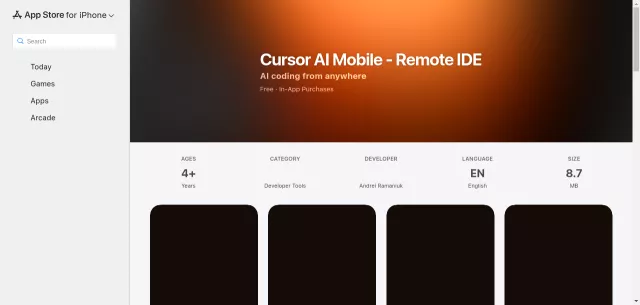
Ever wished you could wield the power of your AI coding assistant directly from your iPhone? Cursor AI Mobile makes that a reality. This remote IDE companion app seamlessly extends your Cursor IDE experience from your Mac to your mobile device, transforming it into a potent AI coding command center. Imagine reviewing code, debugging on the fly, or continuing architectural discussions – all while away from your desk. Cursor Mobile brings your sophisticated AI coding environment to you, wherever you are, ensuring your workflow remains uninterrupted and intelligently supported.
It’s not just a chat app; it’s a conduit for your development tasks. Every prompt you send from your device is processed instantly on your Mac via the Cursor CLI, with results and chat history syncing back in real-time. This deep integration means your AI assistant always has the full project context, enabling truly intelligent, project-aware responses. Built with modern Apple technologies like SwiftUI and SwiftData, it guarantees a fluid, responsive experience, while CloudKit keeps all your iOS and macOS devices perfectly aligned.
Key Features
- Instant Prompt Execution: Send commands from your iPhone, execute them directly on your Mac.
- Real-time Syncing: Chat history, results, and project context are always aligned across devices.
- Advanced AI Model Support: Access premium models like GPT-5, Claude Opus 4.5, Gemini 3 Pro, Grok, and coding-specific models.
- Project-Aware Processing: AI interactions understand your current project context within your Cursor workspace.
- Offline Capability: Create prompts without connectivity; they sync automatically once online.
- Prompt Hub: A built-in collection of curated developer prompts, tips, and customizable templates.
Who is it for?
Cursor AI Mobile is an indispensable tool for developers already using Cursor IDE who demand flexibility and continuity in their workflow. Whether you’re a seasoned professional needing to review code suggestions during your commute, a busy engineer wanting to debug an issue remotely, or an architect iterating on designs while grabbing coffee, this app empowers you. It’s perfect for those who want to:
- Review AI-generated code snippets and suggestions on the go.
- Ask technical questions and get immediate, context-aware answers.
- Maintain ongoing coding conversations without being tied to a desktop.
Ready to supercharge your mobile development workflow? Cursor Mobile offers one free prompt per day, with flexible premium subscriptions providing unlimited AI access. It’s time to unleash your coding prowess, unchained from your desk.
| Feature | Availability |
|---|---|
| Daily Prompts | One Free Prompt/Day |
| Unlimited AI Access | Premium Subscription |
| Supported AI Models | GPT-5, Claude Opus 4.5, Gemini 3 Pro, Grok, etc. |
Top Alternatives to Cursor AI Mobile
Let’s explore and discover the best alternatives and similar tools to Cursor AI Mobile, carefully selected and ranked based on functionality, reliability, and user experience.