AIvory. Local AI Photo Retouch Review
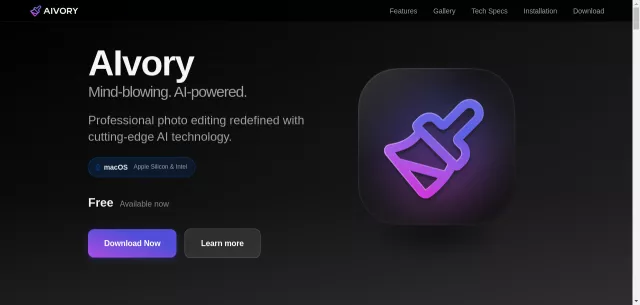
Tired of cloud subscriptions and privacy concerns for your photo editing? Enter AIvory, the game-changing, totally local AI photo editor for Mac. This isn’t just another retouching tool; it’s a powerhouse designed to bring professional-grade image transformation right to your desktop, completely free. AIvory harnesses cutting-edge AI to make complex edits incredibly simple, delivering stunning results in seconds without ever sending your precious data to the cloud.
Main Features
- Intelligent Object Removal: Erase unwanted elements with surgical precision. AI understands context, seamlessly reconstructing backgrounds for perfect memories.
- AI-Powered Precision Background Removal: Achieve studio-quality cutouts with perfect edge detection, ideal for portraits and product shots.
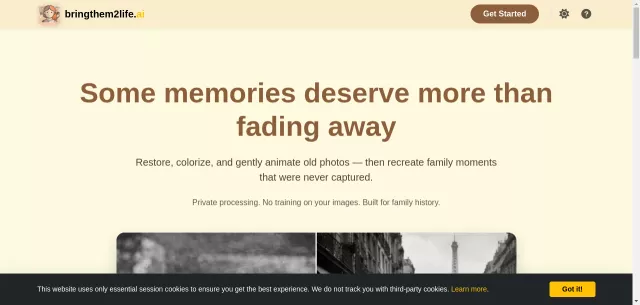
- Photo Restoration: Breathe new life into old photos by magically removing scratches, dust, and age-related deterioration.
- Super Resolution: Enhance image resolution up to 4x without quality loss. Machine learning intelligently creates missing details.
- Image Optimization: Dramatically reduce file sizes while meticulously preserving visual quality, leading to faster loading times.
- Professional Adjustments: Fine-tune exposure, contrast, saturation, temperature, and more with comprehensive pro-grade controls.
- AI Colorization: Transform black and white photos into vibrant, realistic color images, understanding context for natural hues.
Main Target
AIvory is meticulously crafted for anyone who demands powerful, local, and free photo editing on their Mac. Whether you’re a professional photographer seeking quick, accurate touch-ups, a graphic designer needing precise background removal, or a casual user wanting to restore old family photos, AIvory caters to all. It’s especially suited for users prioritizing privacy and those who appreciate high-performance native applications on both Apple Silicon and Intel Macs. Skip the subscriptions; embrace true local power.
| Key Specification | Detail / Benefit |
| Operating System | macOS 11.0 Big Sur or later |
| Processor Support | Apple Silicon (M1+) & Intel (x86_64) |
| Pricing Model | Completely Free |
| Processing Method | 100% Local AI (Privacy Assured) |
| Maximum Resolution | Up to 8K (7680 × 4320) |
| Supported Formats | JPEG, PNG, HEIC, TIFF, WebP (Input/Output) |
Top Alternatives to AIvory. Local AI Photo Retouch
Let’s explore and discover the best alternatives and similar tools to AIvory. Local AI Photo Retouch, carefully selected and ranked based on functionality, reliability, and user experience.